EFA CAMverse Gerber viewer

New Gerber X/X2 + coordinates become Gerber X3 (for assembly) Format guide · Gerber

Open and view Gerber files – free on Windows.

A folder full of .gbr files and drill data? EFA CAMverse opens the complete Gerber set (RS-274X, X2, X3 plus Excellon) natively – no cloud upload – and shows layers, stackup, drills and 3D. And if the component data is missing, you add it from a coordinate file.

Gerber Format-Icon
.gbr .ger .gtl / .gbl … .drl .gbrjob

Gerber – the de-facto manufacturing standard: one image per layer, drill data as Excellon.

The format

What is Gerber?

Gerber is by far the most widely used exchange format in PCB fabrication. Each file describes one layer (copper, solder mask, silkscreen …) as 2D vector graphics; a typical data set consists of several Gerber files plus separate Excellon drill data. Practically every EDA tool can export Gerber, and every fabricator worldwide can read it.

The format goes back to Gerber Scientific and is maintained by Ucamco today. The base standard RS-274X (“Extended Gerber”) was extended by Gerber X2 with attributes (layer role, polarity, pad function) and by Gerber X3 with component data for assembly – classic Gerber without these attributes remains a pure image format with no nets and no components.

Three steps

How to open a Gerber set

1

Install EFA CAMverse

Download for free and install – a native Windows application (10/11, 64-bit), free to use as a viewer.

2

Open the Gerber files

Open the layer files – EFA CAMverse detects the layer roles from the X2/X3 attributes, otherwise from the file names. Excellon drill data is read along, and an accompanying job file (.gbrjob) is evaluated for layer roles and stackup.

3

View and verify

Toggle and mirror layers individually, read drill tables, measure distances – and switch to the 3D view with one click.

The Gerber speciality · For EMS providers

Gerber X/X2 + coordinates = Gerber X3 (assembly).

Everyday EMS reality: the customer delivers classic Gerber data without component information – plus some pick & place file. EFA CAMverse merges both and adds the complete component layer you otherwise only get from Gerber X3.

  • Load the coordinate file – done: EFA CAMverse automatically assigns pads, silkscreen outline and drill holes to every component.
  • No reformatting required: EFA CAMverse detects the column layout, separators, decimal marks, units and board side by itself – even without a header row. You load the list as your customer sends it.
  • Traceable, not a black box: after every run a report shows which components were assigned reliably. If one sits wrong, you move it with two clicks in the image.
  • Just like real X3 from now on: assembly views, variants, bill of materials and 3D are available. The verified coordinates go out as CSV – for machine programming or straight back to your customer.
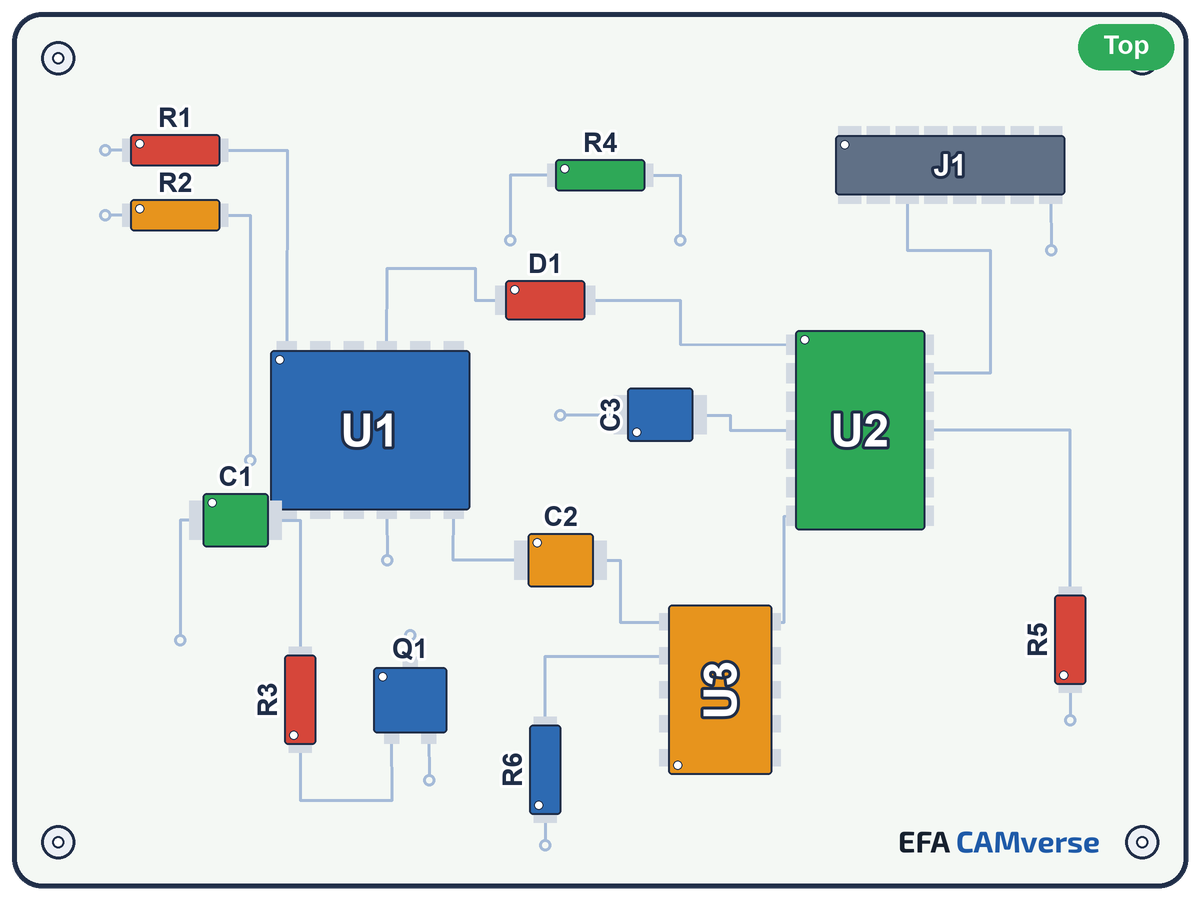
Bestückte Leiterkarte mit beschrifteten Bauteilen – Ergebnis der Erweiterung zu Gerber X3 (für die Bestückung) Gerber X3 (for assembly)
From bare Gerber layers + a coordinate file: components, references, assembly views, BoM.
In the viewer

What EFA CAMverse shows you from the Gerber set

Lagen und Stackup

Layers & stackup

Toggle every layer, control transparency, mirror per layer if needed – if a .gbrjob is present, EFA CAMverse reads layer roles and stackup from it.

Bohrdaten

Drill data (Excellon)

Excellon and Excellon 2 drill data is read along – drill tables show tools and diameters.

X2/X3-Attribute

X2/X3 attributes

Layer roles, pad functions and – with X3 – component data are taken from the attributes; if they are missing, the file-name heuristic steps in.

3D-Ansicht

3D view

View the board in space – with components as 3D bodies, rotate and zoom freely.

Messen

Measure & inspect

Precise distance and geometry measurement right in the layer view.

Offline und lokal

100 % local

A native Windows application – no cloud, no upload. Your manufacturing data stays on your machine.

Beyond viewing

The Gerber set becomes more than a view

Assembly views & variants

Once the component layer is there – from Gerber X3 or added from a coordinate file – EFA CAMverse generates the assembly print itself, component by component. That is why your customer's variant can truly be reproduced: components deselected for a variant are never drawn in the first place and disappear completely with body, pads and labelling – in 2D as well as 3D. More about assembly →

Pass on as GenCAD 1.4

Read the Gerber set and export it as GenCAD 1.4 – real conversion, not just viewing. Feed assembly, test and AOI environments that expect GenCAD straight from the Gerber data. All features →

Good to know

Gerber versions in context

Which Gerber version do I have?

  • RS-274X – “Extended Gerber”, today's base standard with embedded apertures.
  • Gerber X2 (2014) – attributes carry layer role, polarity, pad function.
  • Gerber X3 – additionally component data for assembly.
  • Excellon / Excellon 2 – the accompanying drill and rout format.
  • RS-274D – “Standard Gerber” with an external aperture table: obsolete; EFA CAMverse points this out on loading.

Gerber vs. ODB++ & IPC-2581

Classic Gerber is a pure image format: it knows vectors, but no nets, components or layer roles – drills live separately as Excellon. The “intelligent” formats ODB++ and IPC-2581 bundle the complete product model instead. X2/X3 partially close the gap with embedded attributes. EFA CAMverse reads all three worlds – in the same tool. To the ODB++ guide →

And when the next customer delivers something else: EFA CAMverse also opens eight more PCB/CAM formats – in the same tool, with the same way of working.

Gerber data on your desk? See it in two minutes.

EFA CAMverse is free to use as a viewer – unlock advanced features whenever you need them. Native on Windows, your data stays local.

EFA CAMverse 2026 · free viewer · Windows 10/11 · 64-bit